




4 / 5
Customers recommend us
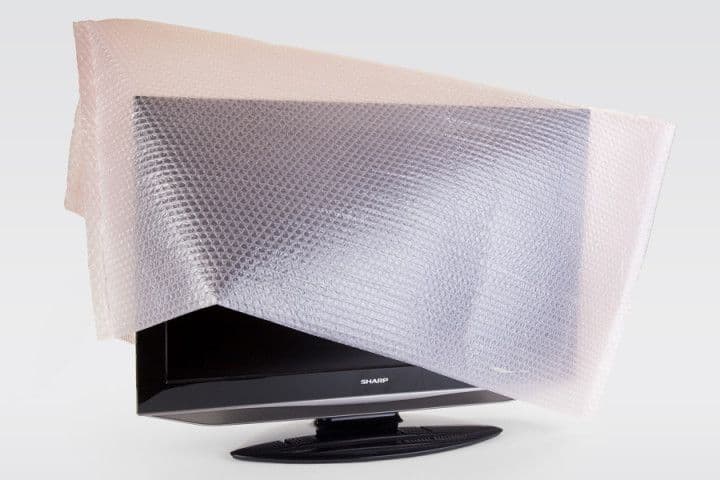
Your TV, computer and audio are among the most fragile and valuable things you move. Yet everything arrives intact and working with the right preparation: a back-up of your data, the right boxes, and a photo of the cables before you disconnect. This guide shows the materials you need, how to handle it per device, and how to store electronics safely.

Your TV, computer and audio are among the most fragile and valuable things you move. Yet everything arrives intact and working with the right preparation: a back-up of your data, the right boxes, and a photo of the cables before you disconnect. This guide shows the materials you need, how to handle it per device, and how to store electronics safely.

Short answer: back up your data first, use the original box or a sturdy double-walled box, always transport your TV upright (never flat), and take a photo of the back before disconnecting the cables. Those four steps prevent most damage and most hassle when reconnecting.
Before anything goes into a box: secure your data. Back up your laptop, PC, phone and any NAS. Hardware can always fail in transit, but your photos and files are irreplaceable — a back-up is your cheapest insurance.
Always transport and store a TV upright, never flat — a screen lying down can crack under its own pressure. Protect the screen with bubble wrap or a blanket; if you still have the original box with foam blocks, use it. Wedge the TV so it can't tip.
Pack laptop and PC separately, ideally in antistatic material, and don't put them at the bottom of a heavy stack. Pack speakers separately: protect the cones, heavy speakers at the bottom of the box and light ones on top. Fill gaps so nothing can shift.
For printers, take out the ink or toner cartridges and pack them separately — otherwise they leak. Wrap small devices like a coffee machine, console or monitor individually and stand them upright. Fill hollow parts and empty box space with paper.
Nothing is more annoying than a box of loose cables when you no longer know what goes where. So take a photo of the back of each device before disconnecting, bundle the cables with a tie and put them per device in a labelled ziplock bag. Keep remotes and accessories with their matching device.
📦 Original boxes or sturdy double-walled boxes to size
🫧 Bubble wrap for screens and casings
🔌 Cable ties and ziplock bags per device
🏷️ Stickers: 'fragile' and 'this way up'
By Bram Jansen — Lead Storage Advisor at Inbox Storage. Updated: June 2026.
Storing electronics for a while? Calculate your price in 60 seconds at Inbox Storage.
Enter your postcode and see in 60 seconds what storage for your items costs.
DONE IN 60 SEC.
Electronics are sensitive to damp and temperature swings — condensation inside a device can damage it beyond repair. If your electronics go into storage, keep them dry and climate-controlled, upright, and remove the batteries and rechargeable cells first.
Upright, never flat. Protect the screen with bubble wrap or the original foam blocks and wedge the TV so it can't tip or slide. Transporting flat is the main cause of cracked panels.
Not required, but it's the best protection — the box and foam blocks are made exactly for the device. So keep the box of expensive devices when you buy them. If you no longer have it, use a sturdy double-walled box to size with plenty of padding.
Yes, provided it's dry and climate-controlled — damp and temperature swings are the biggest risks. Remove the batteries and rechargeable cells first: loose cells are prohibited in storage due to fire risk and can also leak.
Take a photo of the back before disconnecting, bundle the cables with a tie and put them per device in a labelled bag. That way you reconnect everything in minutes later, without puzzling over which cable goes where.
Sensitive electronics need a dry, climate-controlled environment — exactly what our storage offers. We pick up your devices at your door, so you don't have to haul expensive TVs, PCs and audio yourself or load them into a van, keep everything climate-controlled in our secure hub in Gouda, and bring it back when you need it. Ideal during a move or renovation, with no risk of damp or temperature damage.
🌡️ Dry and climate-controlled — damp and condensation are fatal
⬆️ Store upright, especially TVs and screens
🔋 Remove batteries and cells — prohibited in storage, fire risk
📦 Don't put them at the bottom of a heavy stack
Backed up, cables labelled and packed upright — that's how everything works again straight away.
Calculate your storage price in 60 seconds at Inbox Storage.
We pick up your devices at your door and keep them climate-controlled — no damp or temperature damage.